Your files, your way
Use ordinary Markdown cheat sheets. Keep them in a folder you control and edit them with the tools you already like.
 KeyCrumb
Public alpha 0.1.0-alpha.10
Local Markdown cheat sheets for your Mac menu bar.
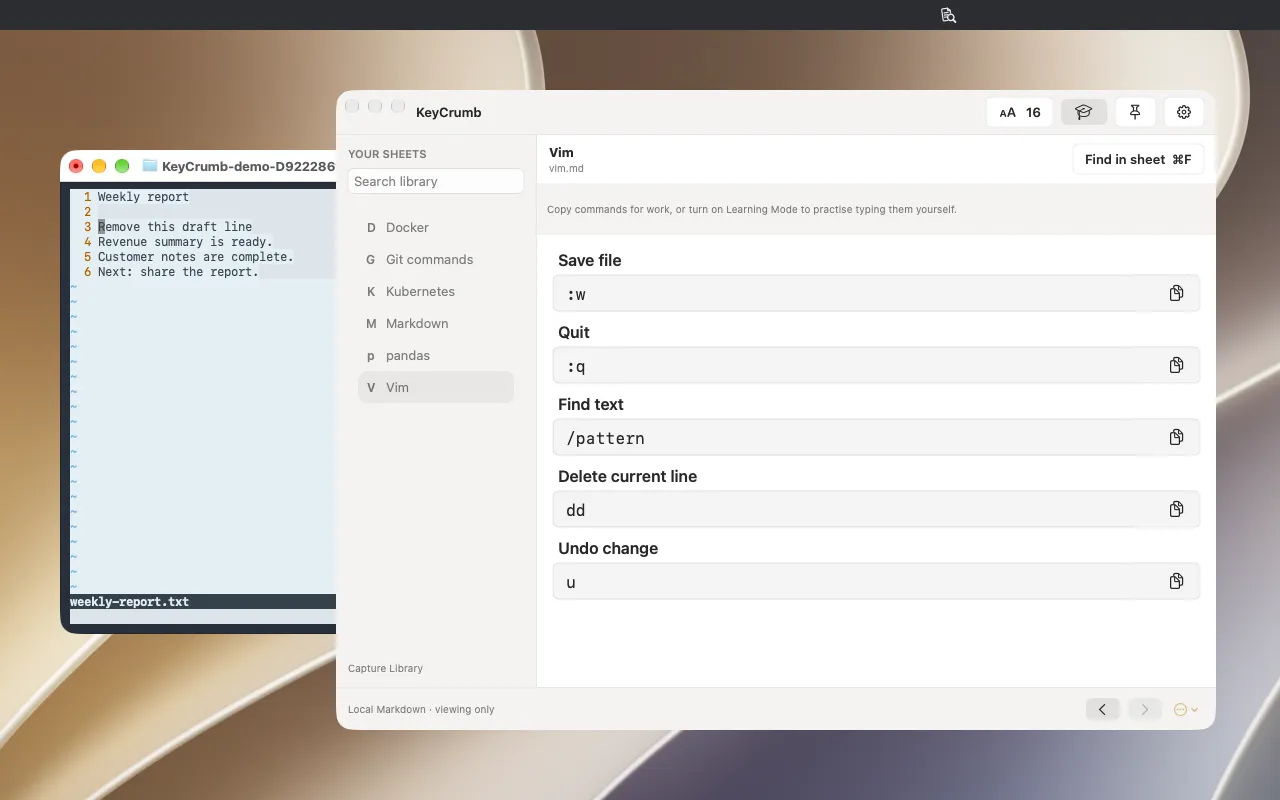
Copy commands when you need them, or turn on Learning Mode and practise typing them yourself.
Check a Vim shortcut while editing. Hold to peek at your sheet, release to return to the editor, and use the shortcut yourself.
⇧⌃K
Give a sheet its own menu-bar item and open that sheet in the floating reader with a single click.
Reader capture · 23 October 2026 · source c2d8eb0.
DESIGNED TO FIT YOUR WORK
The native workflow keeps your files at the center.
Bring your own Markdown cheat sheets. Start with familiar files, not a new format.
Reach for the menu bar, a pinned sheet or a shortcut. One floating reader that stays beside your work.
Copy the instruction for work, or enable Learning Mode and type it yourself with the reference beside your terminal, notebook or editor.
MAKE IT YOURS
Turn the commands and shortcuts you use into readable Markdown or structured JSON sheets. Install KeyCrumb’s authoring skill for Codex, Claude Code, Cursor or GitHub Copilot.
“Create a concise Git command sheet for macOS, without row numbers. Save it in my KeyCrumb folder.”Install agent skills
Use ordinary Markdown cheat sheets. Keep them in a folder you control and edit them with the tools you already like.
A compact reference beside your work. The reader is designed for quick answers, without another workspace to manage.
Copy what you need for work, or enable Learning Mode to practise typing it yourself. Keep the reference beside your terminal or editor.
Bundled starter sheets Git · Vim · pandas · Kubernetes · Docker · Markdown
JSON examples: IntelliJ IDEA · Visual Studio Code · Brave · Xcode · Sequel Ace.Download examples
Keep Git, Vim, data and infrastructure commands close. Find the instruction, copy it accurately, and get back to work.
Keep a reference beside your exercises. Turn on Learning Mode to disable copying and practise typing commands yourself.
Provide ordinary Markdown exercise references that learners can use on their own Macs. Learning Mode is a voluntary practice aid, with no classroom accounts or administration.
Keep backups while trying the alpha. Use Check for Updates… in KeyCrumb’s menu or Settings. Updates require your approval.
BEFORE THE FIRST CRUMB
Learning Mode keeps references visible and selectable while disabling copying from the reader. It encourages you to type commands in your own terminal or editor. It does not execute commands, check answers or measure progress.
Yes. Use the Learning Mode toggle to restore copying immediately. In the native app, the setting applies to every sheet and is remembered across restarts. Your Markdown files remain yours; this is voluntary practice support, not copy protection or teacher enforcement.
Yes. Download the free public alpha for macOS 15+. Install it in Applications, then choose a folder for your Markdown sheets. Alpha software may have rough edges; keep backups.
The app reads local Markdown and .keycrumb.json files in a folder you choose. JSON sheets display sections in columns, with macOS shortcut symbols and optional icons. You stay in control of your files and edit them in an external editor.
Apple silicon, macOS 15+. The download is universal; Intel is untested.
The public alpha is free to use and proprietary. The app source remains private; third-party components retain their own licences. Future pricing and source publication remain undecided. See the terms of use for the alpha licence.